Ziyan Xia

Generative 3D hackathon · September 2026

Handyman

A repair assistant that answers the question every manual skips: which part am I actually holding? Photograph the problem, and get a labeled 3D model you can take apart on screen — not another page of instructions.

Why

Three things broke in my apartment and I gave up on all three. The bathroom door lock — taken apart to find the problem, never put back together. The refrigerator knob, once it was already out. The washing machine dial: I could not tell which part had failed, so I wrung the laundry out by hand.

The manuals were not wrong. I had the Kenmore document for that exact washer, and it still never told me which part had failed, which direction it moved, or how much force was too much. A manual can be correct and still useless. That gap is the whole product.

The instructions aren’t the hard part. Knowing which part they’re talking about is.

How it works

From “what’s that?” to “got it”

Six steps, each one tied to a part you can actually see

  • Photo. Show the visible problem and what changed.
  • Diagnose. A tentative assessment, offered as a draft rather than a confirmed verdict.
  • Reconstruct. Start from a labeled reference model of the object.
  • Repair plan. Match reviewed catalog steps to the problem at hand.
  • Visualize in 3D. Separate, rotate and isolate the part in question.
  • Guide. Direction, force limits, and when to stop.
  • World Labs Marble
  • Tripo
  • Convex
  • Mint
  • Next.js
  • three.js
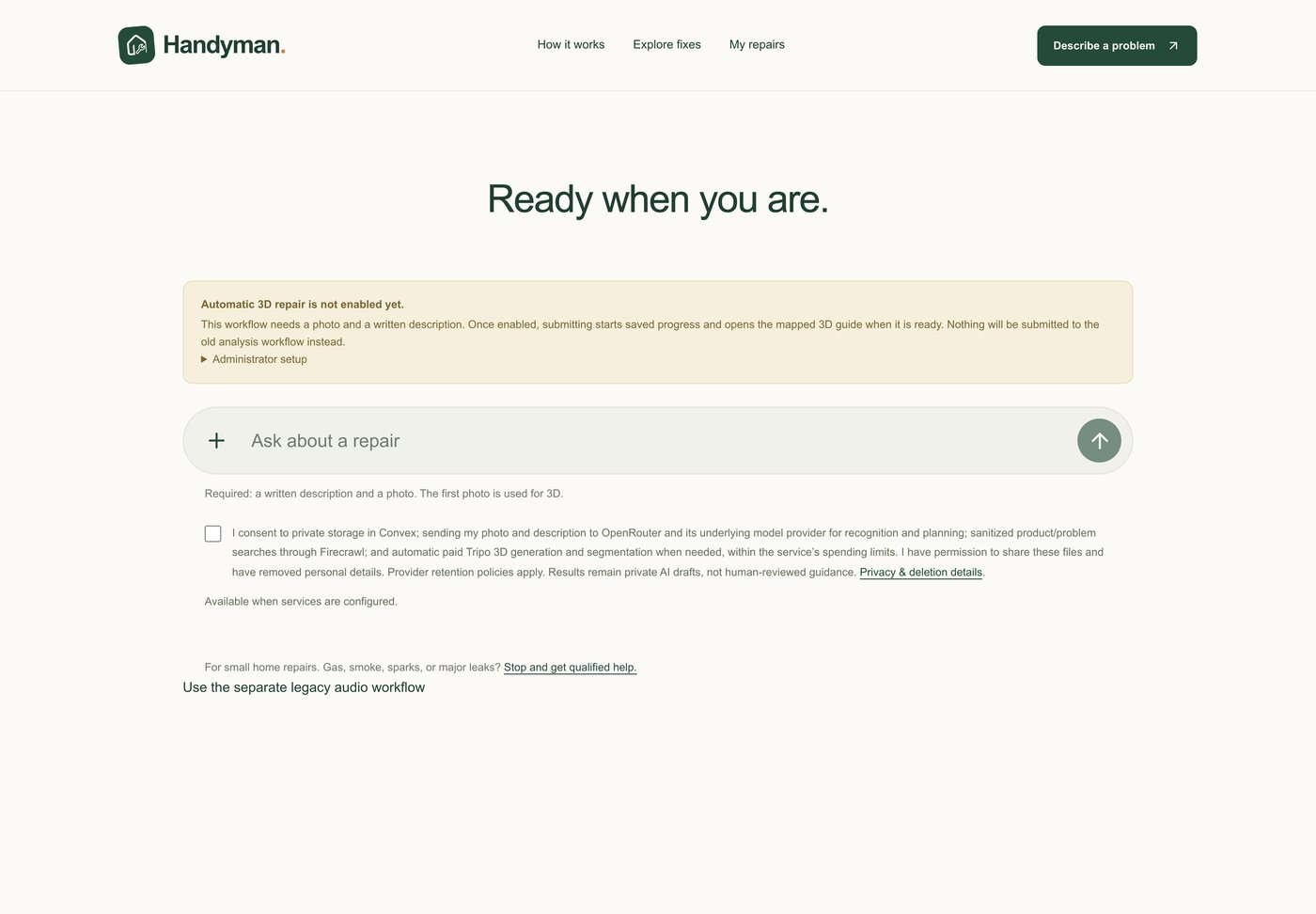
The Handyman intake screen, asking for a photo and a written description
Step one — a photo and a description, with the consent and safety terms stated up front rather than buried.

Take it apart. On screen.

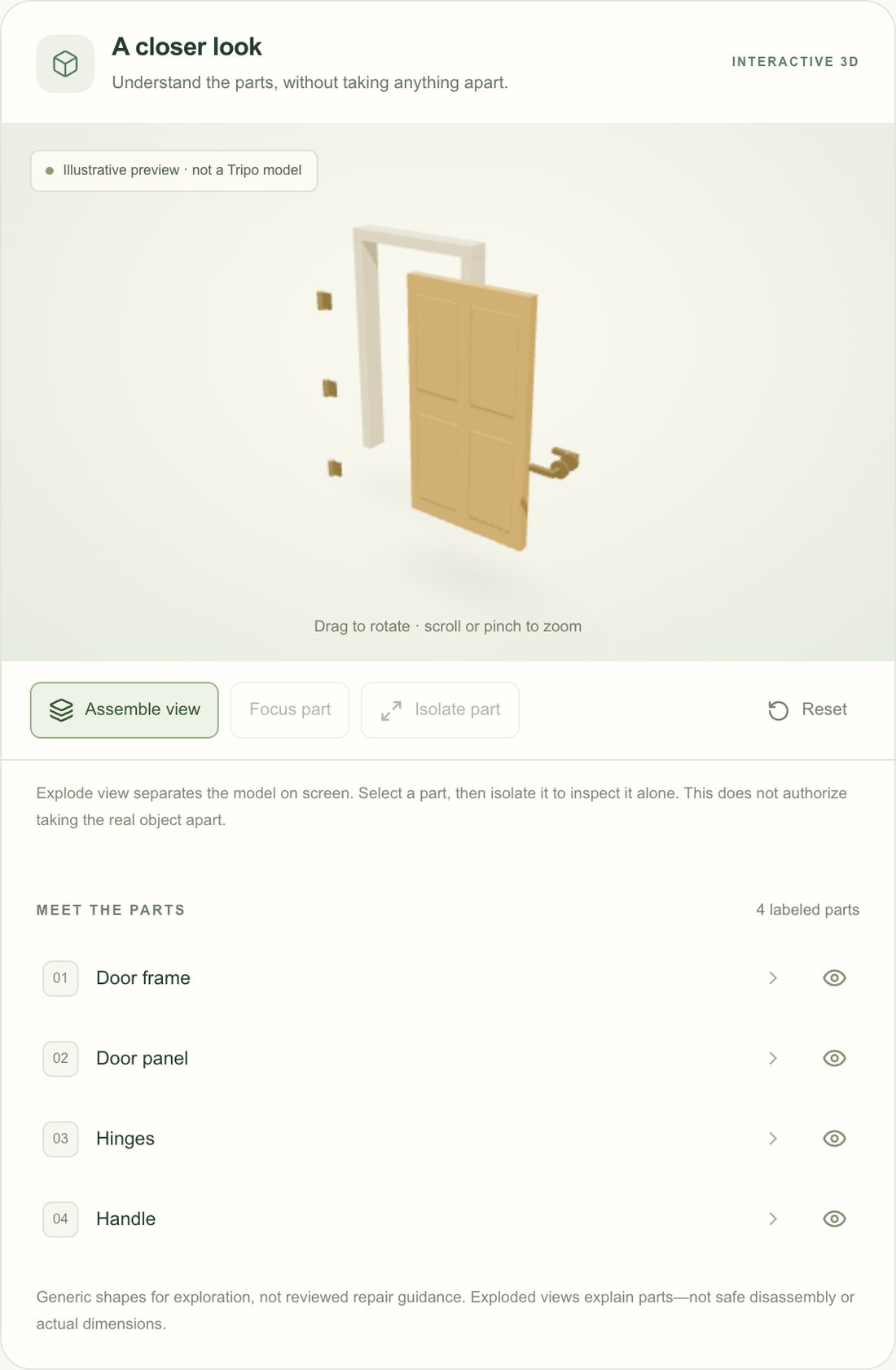
“Find the hinge” only helps if you know which part that is. The viewer separates an object into its visible components so you can inspect each one without touching your own hardware — explode the model, focus a part, isolate it, reset.

The Handyman 3D viewer with a door exploded into four labeled parts
Explode view, with the four labeled parts of a door listed alongside the model.
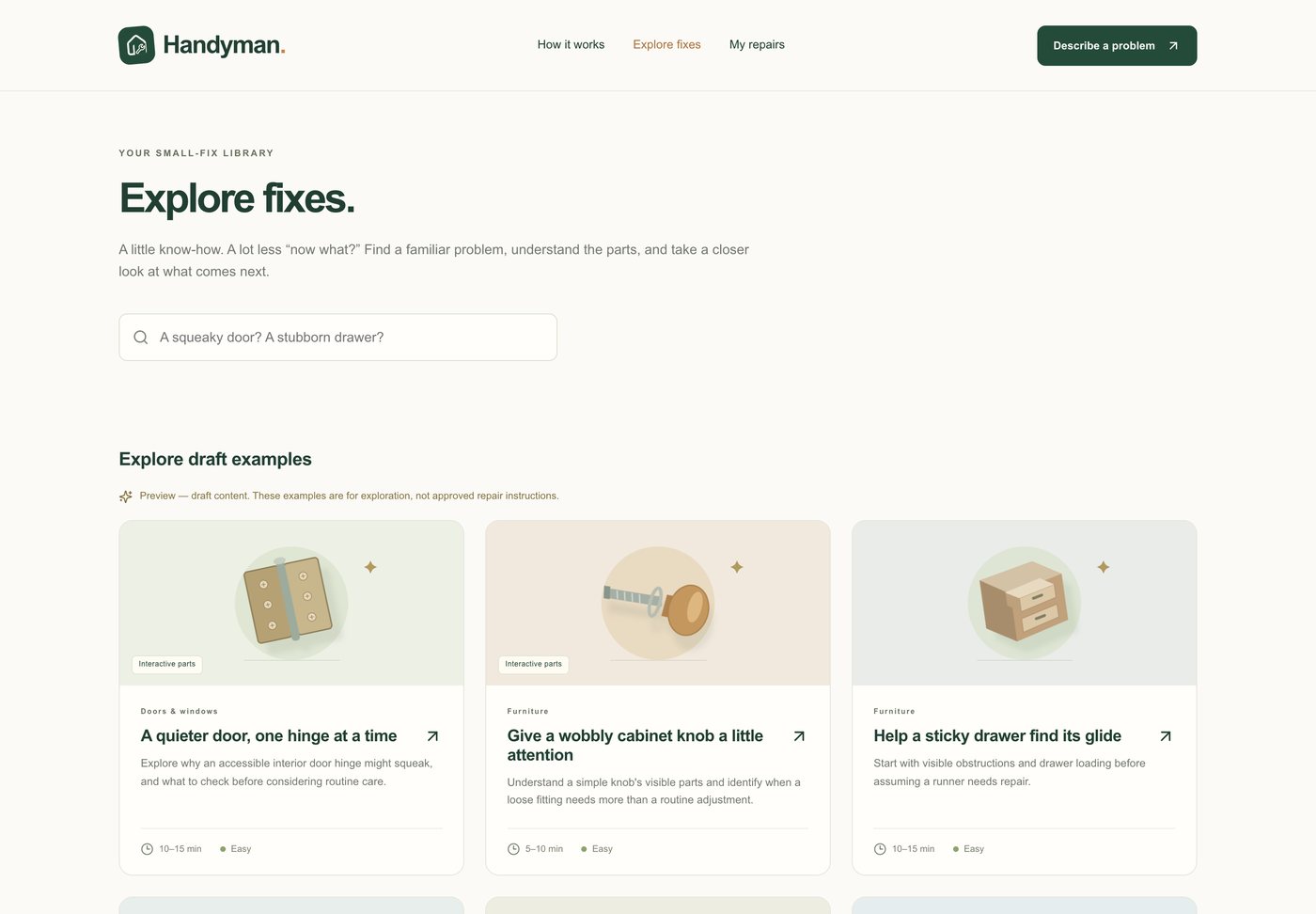
The Handyman catalog of small home repairs
The catalog of small fixes — hinges, knobs, drawers, weatherstrip, aerators.

A tutorial tied to the parts

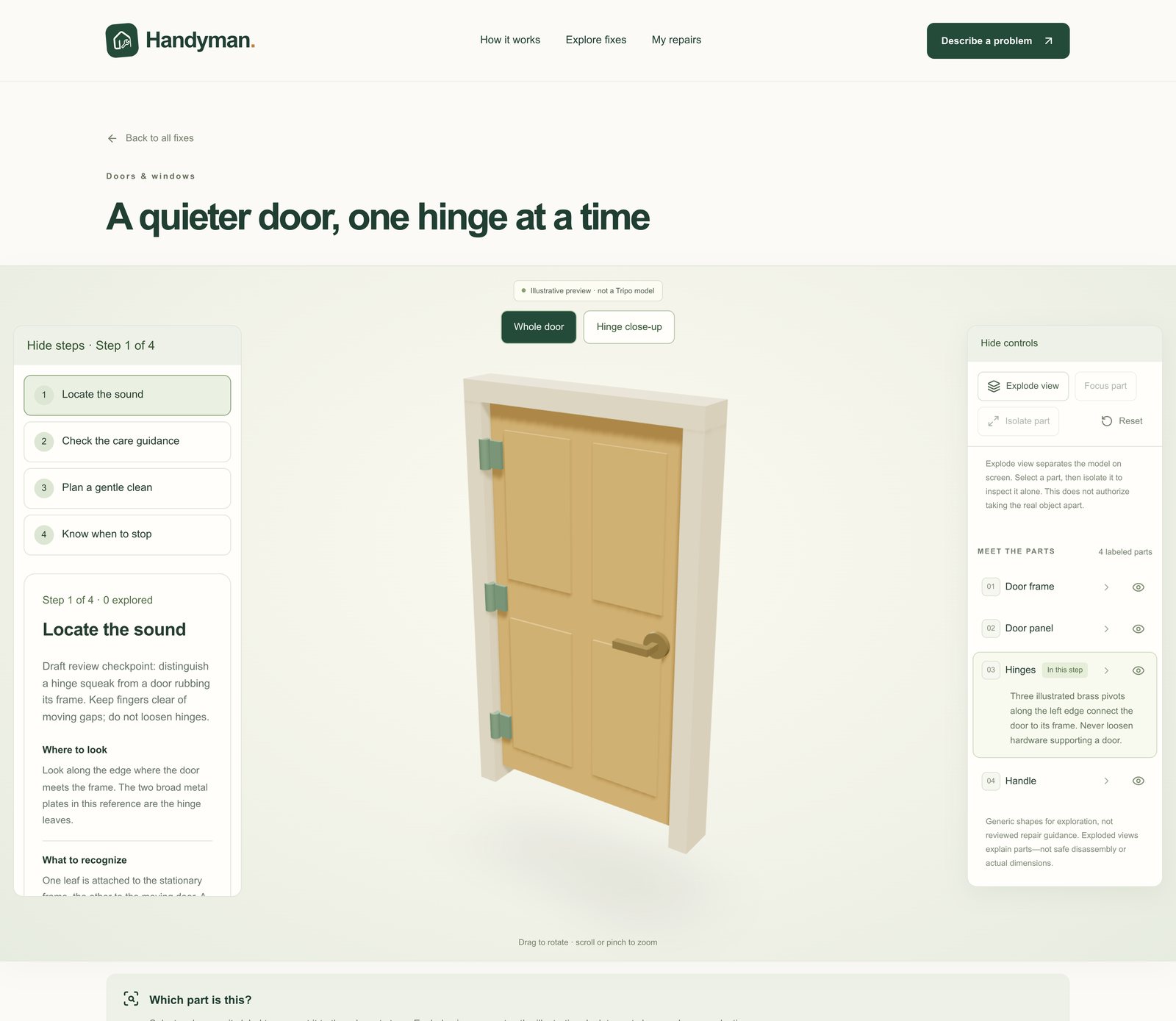
Each step of a repair points at a component in the model, so the written checkpoint and the thing in your hand stay connected.

A Handyman tutorial: four steps beside an interactive 3D door with a parts panel
Step one of a squeaky hinge, with the hinge highlighted in the parts panel on the right.

Confidence, not overconfidence

Where we drew the line

Scope decisions, made deliberately

  • Small, low-risk repairs only. Electrical, gas, structural work or a major leak — stop and call a professional.
  • Draft content stays labeled as draft. It is never presented as ready-to-use repair instructions.
  • Generated geometry is a labeled reference model reviewed by a human, not a scan of your home — and an exploded view is an explanation, not permission to take the real object apart.

Notes

About this write-up

  • Built with a small team over the hackathon weekend. My part was the problem framing, the product story and the pitch.
  • The interactive 3D, the fix catalog and the eight draft tutorials run live in the browser. The automatic photo → 3D pipeline stays switched off, as it was at the hackathon — the intake flow can be read end to end, but not submitted.
  • The original hackathon deployment went offline in September. What is linked here runs from my own fork of the project, so it stays up.
  • Hackathon
  • Generative 3D
  • Product story